GameHub APK Download
A simple and powerful Android app designed to bring your favorite Windows PC games — from Steam, Epic, GOG and EA — to your phone in one place.
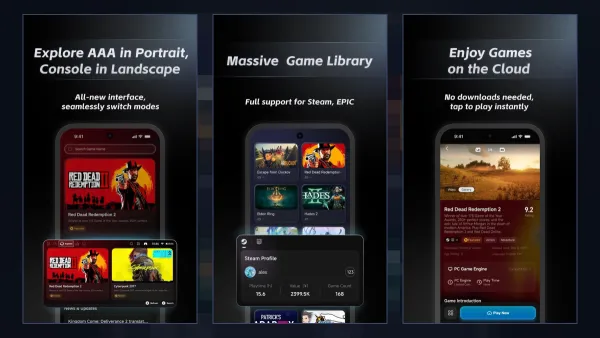
App details
- Latest version
- 6.3.1
- File size
- 95 MB
- Updated on
- 24 Sep 2026
- Requires
- Android 10+
- Category
- Games · PC Emulator
- Developer
- GameSir
- Package name
- com.xiaoji.egggame
- Price
- Free
Key features
All Your Games
Link Steam, Epic Games, GOG and EA and keep your whole PC library in one simple app.
PC Games on Android
Wine, Box64, DXVK and VKD3D run Windows games directly on your phone's chip.
Clean and Simple
Bundled GPU drivers and per-game settings mean no complex manual setup.
Wide Compatibility
Works best on Snapdragon 8 Gen 2+ and supports MediaTek Dimensity 9000–9400 phones.
FSR 3 Frame Generation
AMD FSR 3 upscaling and frame generation push heavy games to higher FPS.
Cloud Saves and Mods
Steam cloud saves, Workshop, mods and controller mapping with cloud sharing.
How to install
- Download the APKTap the download button and get the latest official GameHub APK (about 95 MB).
- Enable unknown sourcesAllow your browser or file manager to install apps in Android settings.
- Install the appOpen the downloaded APK file and tap Install. It needs Android 10 or newer.
- Launch GameHubOpen the app, link your Steam account and download your first game.

Complete guide
Table of contents
- What Is GameHub APK?
- How Does GameHub Work on Android?
- What's New in GameHub 6.3.1 (Latest Version)
- GameHub APK Requirements: Will It Run on My Phone?
- Google Play Version vs Official Website APK
- GameHub vs GameHub Lite
- Is GameHub APK Safe?
- How to Download Games on GameHub
- Tips to Get Better Performance
- GameHub Pros and Cons
- Bottom Line
GameHub APK is the Android installation file of GameHub, a free app from controller brand GameSir that lets you play Windows PC games on your Android phone or handheld. With it you can link your Steam, Epic Games, GOG or EA account, download games you own, and play them with touch controls or a controller. The latest version is 6.3.1 (about 95 MB, Android 10+), released in September 2026.
Key takeaways
- GameHub APK is free and made by GameSir (Google Play developer: Guangzhou Chicken Run Network Technology Co., Ltd., package
com.xiaoji.egggame). - Latest version: 6.3.1, updated 23–24 September 2026, about 95 MB, needs Android 10 or newer.
- The Google Play version supports only Steam games; the APK from the official website also supports local (non-Steam) games.
- Best results come from Snapdragon 8 Gen 2 or newer phones with 8–12 GB RAM; MediaTek Dimensity 9000–9400 phones are supported too.
- Online games with anti-cheat generally do not work, and AAA games need 30–100 GB of free storage each.
What Is GameHub APK?
GameHub APK is the sideloadable install file for GameHub, a PC game emulator for Android. Instead of streaming games from a computer, GameHub runs the Windows version of a game directly on your phone's processor and GPU.
GameHub was first released as GameFusion and renamed GameHub in early 2025. Today it is much more than an emulator. In one app you get:
- PC emulation – run Windows games from Steam, Epic Games, GOG and EA on Android.
- Cloud gaming – play some titles instantly without downloading them.
- PC streaming – stream games from your own computer.
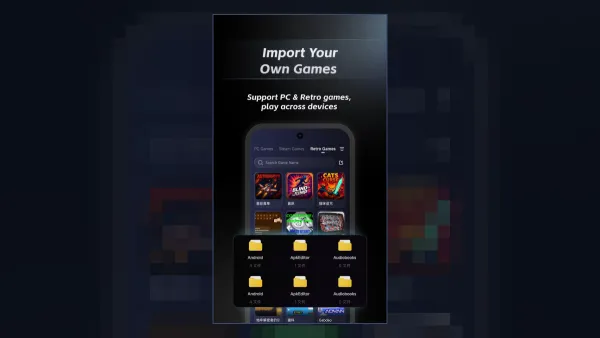
- Retro Game Hub – build a retro library by importing your own base files.
- Controller management – one-tap diagnostics for GameSir and other controllers.
According to the Google Play listing (October 2026), GameHub has more than 5 million downloads and an average rating of about 3.6 stars from roughly 15.9K reviews. If you want a deeper explanation of the technology, read our full GameHub emulator guide.
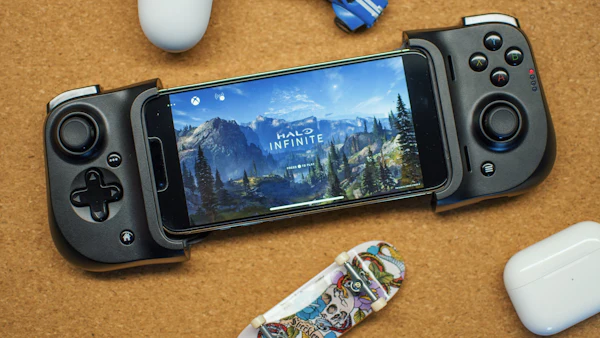
How Does GameHub Work on Android?
GameHub works by stacking several translation tools so that a Windows game “thinks” it is running on a PC. Each layer handles one problem, and together they turn PC code into something an Android phone can run.
| Layer | What it does | Why it matters |
|---|---|---|
| Wine | Runs Windows programs without Windows | Lets .exe game files start on Android |
| Box64 (modified) | Translates x86/x64 CPU code to ARM | Phones use ARM chips, PC games use x86 |
| DXVK | Converts DirectX 9/10/11 to Vulkan | Most older and mid-age PC games use DirectX 11 or lower |
| VKD3D | Converts DirectX 12 to Vulkan | Needed for newer AAA titles |
| Turnip / GPU drivers | Bundled drivers for Adreno and Mali GPUs | No manual driver hunting like in Winlator |
| FSR 3 + frame generation | Upscales the image and adds generated frames | Higher FPS on heavy games |
Because GameHub bundles these components, setup is much easier than with manual tools. You install the APK, sign in, pick a game and press play. Fine-tuning is still possible – see our GameHub best settings guide for Snapdragon and MediaTek phones.
What's New in GameHub 6.3.1 (Latest Version)
GameHub 6.3.1, released on 23–24 September 2026, focuses on community features and easier setup rather than big engine changes.
- A new in-app community with setup guides and discussions.
- Scan-to-sign-in for GameHub on Mac.
- Tidier Home tabs and new launch guidance for games.
- Smarter AI search that understands game nicknames and typos.
The bigger changes came in earlier 2026 updates:
- 6.2.0 (25 August 2026): mod support for Steam and locally imported games, key/mouse mapping with cloud sharing, quick access to Steam friends, achievements and Workshop, and a library grouped by platform or store.
- 6.0.6 (June 2026): app size cut by nearly 50%, Steam overlay, Workshop and DLC management, custom install locations, EA games support, gamepad-to-keyboard/mouse mapping and a new compatibility rating system.
Looking for an older build such as 4.1.5? Our GameHub old versions page has the full version history.
GameHub APK Requirements: Will It Run on My Phone?
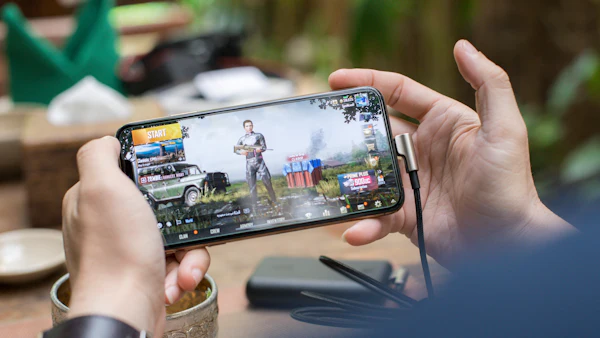
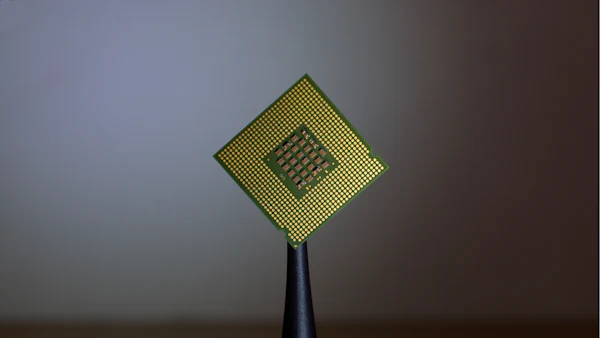
GameHub APK needs Android 10 or newer, but smooth PC gaming needs a powerful chip. A recent Snapdragon flagship gives the best results; mid-range phones can only handle lighter and older games.
| Phone chipset | GPU | What to expect |
|---|---|---|
| Snapdragon 8 Elite | Adreno 8xx | Best experience; heavy AAA games playable at 720p with FSR 3 |
| Snapdragon 8 Gen 2 / 8 Gen 3 | Adreno 7xx | Very good; most DX11 games run well |
| MediaTek Dimensity 9000–9400 | Mali | Good for DX9–DX11 games since the July 2025 Mali update |
| Older / mid-range chips | Adreno 6xx, older Mali | Light indie and older games only |
- RAM: 8–12 GB recommended.
- Storage: the app is about 95 MB, but AAA games need 30–100 GB each.
- Controller: optional but strongly recommended for PC games.
Not sure which games will work? Check our GameHub compatibility list before you buy a game.
Google Play Version vs Official Website APK
There are two official ways to get GameHub, and they are not identical. The Google Play version only supports Steam games, while the APK from the official GameHub website also lets you import and play local (non-Steam) games.
| Feature | Google Play version | Official website APK |
|---|---|---|
| Price | Free | Free |
| Steam games | Yes | Yes |
| Local / non-Steam games | No (store policy) | Yes |
| Automatic updates | Yes, via Play Store | Manual (or in-app prompt) |
| Availability | Not in every country | Worldwide |
| Package name | com.xiaoji.egggame (same app) | |
If GameHub is not available on Google Play in your country, or you need local game support, use the APK. Our GameHub APK download page links only to official sources.
GameHub vs GameHub Lite
GameHub Lite is an unofficial, community-made version of GameHub that removes tracking, extra permissions and the login requirement. The official app is made by GameSir; Lite is made by an independent developer on GitHub.
Reports from October 2025 say Lite removes about 12,000 tracking files and 31 “invasive” permissions, and shrinks the APK from 114 MB to 51 MB. Some Lite builds even pose as the AnTuTu benchmark to get more performance. Learn the details in our GameHub Lite APK guide and GameHub AnTuTu version guide.
Is GameHub APK Safe?
The official GameHub APK from Google Play or the official website is not malware, but it is a privacy-heavy app. Android Authority described it as having many trackers and analytics and asking for broad permissions.
The real danger comes from fake “GameHub mod APK” files on random sites, which can hide malware. Always check that the package name is com.xiaoji.egggame and the developer matches the Google Play listing. Read our full answer in Is GameHub safe?
How to Download Games on GameHub
To get games in GameHub, open your Profile, link your Steam (or Epic, GOG, EA) account, and download a game you own from the library. GameHub installs it and applies its own compatibility settings.
Since version 6.0.6 you can choose custom install locations and import external Steam games, and Steam cloud saves sync between devices. Our step-by-step tutorial explains everything: how to download games on GameHub.
Tips to Get Better Performance
Most performance problems come from too-high resolution, heat or the wrong driver. These quick fixes help on almost every phone:
- Play at 720p and turn on FSR 3 upscaling; add frame generation for heavy games.
- Set an FPS limit (30 or 45) to keep the phone cool and the frame rate stable.
- Use your phone's game or performance mode and close background apps.
- If a game shows a black screen, try another driver or DXVK version – a driver/DXVK mismatch is the most common cause.
- Use a controller with a cooling grip for long sessions.
Still stuck? Our GameHub not working fix guide covers network errors, crashes and “App not installed”.
GameHub Pros and Cons
| Pros | Cons |
|---|---|
| Free, easy setup with bundled drivers | Closed source, many trackers and permissions |
| Steam, Epic, GOG and EA integration | Play Store version is Steam-only |
| FSR 3 upscaling and frame generation | Heavy games need a flagship phone |
| Cloud saves, mods, controller mapping | Anti-cheat online games do not work |
| Works on Snapdragon and Dimensity | AAA games use 30–100 GB of storage |
Want an open-source option instead? Compare the best alternatives in GameHub vs GameNative vs Winlator. Mac users can also try the GameHub for Mac beta.
Bottom Line
GameHub APK is the easiest way to play Windows PC games on Android in 2026. Get version 6.3.1 from an official source, use a recent Snapdragon or Dimensity phone, and start with lighter DirectX 9–11 games before trying AAA titles. If privacy matters most to you, read about GameHub Lite before you install.
Download GameHub APK 6.3.195 MB · Android 10+ · Official sources only
Download APKGameHub guides
Latest articles





GameHub APK FAQs
What is GameHub APK?
GameHub APK is the Android install file of GameHub, a free app from GameSir that runs Windows PC games on Android phones. It links to Steam, Epic, GOG and EA so you can download and play games you own.
Is GameHub APK free?
Yes. GameHub is free to download and use. You only pay for the PC games you buy on stores like Steam or Epic Games.
What is the latest version of GameHub APK?
The latest version is GameHub 6.3.1, released on 23–24 September 2026. It is about 95 MB and needs Android 10 or newer.
Can GameHub run on any Android phone?
GameHub installs on Android 10 or newer, but PC games need a strong chip. Snapdragon 8 Gen 2 or newer, or Dimensity 9000–9400, with 8–12 GB RAM gives the best results. See the compatibility list.
Why does the Play Store version only show Steam games?
To follow Google Play policies, the Play Store version of GameHub only supports Steam games. The official website APK also supports local, non-Steam games.
Is GameHub APK safe to install?
The official APK from Google Play or the GameHub website is not malware, but it collects a lot of data. Avoid modded APKs from unknown sites. Read Is GameHub safe? for a full checklist.
Can I play GTA 5 on GameHub?
Yes, if you own GTA V on Steam or Epic. Reviewers reported 50–60 FPS on a Snapdragon 8 Elite at 720p. GTA Online and other anti-cheat games generally do not work.
What is the difference between GameHub and GameHub Lite?
GameHub is the official app from GameSir. GameHub Lite is an unofficial community version without trackers, extra permissions or login. Learn more in our GameHub Lite APK guide.