GameHub Emulator: What It Is and How It Works on Android
GameHub emulator is a free Android app from controller brand GameSir that lets you run Windows PC games on Android phones and handhelds. It also offers cloud gaming, PC streaming, a retro games library and controller management in one place. This page explains what GameHub is, how it works in simple words, its features, supported stores and the phone you need.
Key takeaways
- GameHub is made by GameSir, is free, and was first released as "GameFusion" in early 2025.
- It runs PC games using Wine, a modified Box64, DXVK, VKD3D and bundled GPU drivers such as Turnip for Adreno.
- It needs Android 10 or newer; the latest version is 6.3.1 (September 2026), an APK of about 95 MB.
- It works with Steam, Epic Games, GOG and, since version 6.0.6, EA games.
- On Google Play it has 5M+ downloads and about 3.6 stars from around 15.9K reviews at the time of writing.
Table of contents

What Is GameHub Emulator?
GameHub is GameSir's free app for playing Windows PC games on Android. People call it the "GameHub emulator" because it lets an Android phone run games that were made for Windows computers.
GameSir is best known for game controllers. The app was first released as "GameFusion", later renamed GameHub, and launched in early 2025. In November 2025 it arrived on Google Play. According to the Google Play listing (October 2026), the developer name is "Guangzhou Chicken Run Network Technology Co., Ltd.", the package name is com.xiaoji.egggame, the category is Entertainment and the content rating is 3+. At the time of writing it has more than 5 million downloads and about 3.6 stars from roughly 15.9K reviews.
Besides PC games, GameHub includes:
- cloud gaming;
- streaming games from your own PC;
- a retro games library;
- controller management.
You can get the app from official sources on our GameHub download page.
Is GameHub Really an Emulator?
Not exactly. GameHub does not copy a whole Windows PC in software; it translates Windows game code and graphics, live, into a form Android can run.
A full emulator rebuilds a complete computer in software, which is very slow. GameHub instead uses a "compatibility layer" (Wine) and a "translator" (Box64). Wine answers the game's Windows requests, and Box64 changes PC processor instructions into ones a phone chip understands. So "PC emulator" is a handy label, but "Windows game compatibility app" is more accurate.
How Does GameHub Work?
GameHub works by stacking several tools: Wine handles Windows, Box64 translates the processor code, DXVK and VKD3D turn graphics into Vulkan, and bundled GPU drivers draw the result on screen. GameSir packages them together so you do not have to set each one up yourself.
| Component | What it does, in simple words |
|---|---|
| Wine | A Windows compatibility layer. It makes the game think it is running on Windows. |
| Box64 (modified) | Translates x86/x64 PC processor code into ARM code for phone chips. |
| DXVK | Converts DirectX 9, 10 and 11 graphics into Vulkan, which Android GPUs understand. |
| VKD3D | Does the same job for DirectX 12 games. |
| GPU drivers (Turnip for Adreno) | Bundled drivers that talk to your phone's graphics chip. Turnip is used for Snapdragon Adreno GPUs. |
| AMD FSR 3 | Upscaling and frame generation. The game renders at a lower resolution, is sharpened, and extra frames are added for smoother motion. |
Think of it like a team of interpreters. A Windows game speaks "Windows", "x86" and "DirectX". Your phone speaks "Android", "ARM" and "Vulkan". Each tool translates one language while you play.
The parts must work well together. Driver and DXVK versions need to match, and a mismatch is the most common cause of black screens and crashes. Our GameHub best settings guide covers community Turnip packs for each Adreno generation.
Main Features of GameHub
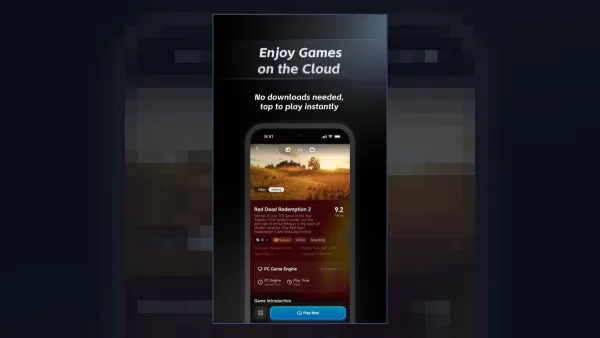
GameHub's main features are store integration, built-in performance tools, flexible controls and FSR 3 upscaling. Updates in 2026 added Steam social features, mod support and an in-app community.
Performance tools
- Performance HUD (on-screen stats such as FPS)
- FPS limits and performance profiles
- AMD FSR 3 upscaling and frame generation
- Revamped game compatibility rating system (6.0.6)
Controls
- Virtual on-screen controls with a new button layout editor (6.0.6)
- Touchscreen mouse
- Bluetooth and USB controllers, plus keyboard and mouse
- Gamepad-to-keyboard and gamepad-to-mouse mapping (6.0.6)
- Key and mouse mapping with cloud sharing (6.2.0)
Steam and library features
- Steam friends, achievements, chat, invites, overlay and joining lobbies (6.0.6)
- Workshop and DLC management, custom install locations and importing external Steam games (6.0.6)
- Mod support for Steam titles and locally imported games, plus a library grouped by platform or store (6.2.0)
- In-app community with setup guides, and smarter AI search that handles nicknames and typos (6.3.1)
Which Game Stores Does GameHub Support?
GameHub supports Steam, Epic Games, GOG and, since version 6.0.6 (June 2026), EA games. Steam has the deepest integration, with login, downloads and cloud saves.
You link your Steam account inside the app (Profile → link account) with a QR code or your login details. After that, you can download games you own and sync cloud saves. Our guide on how to download games on GameHub walks through each step.
GameHub Requirements: What Phone Do You Need?
You need Android 10 or newer, and for heavy PC games a recent Snapdragon chip with 8–12 GB of RAM. Low-end phones can only handle light or older games.
| Item | Requirement or recommendation |
|---|---|
| Android version | Android 10 or newer |
| App size | About 95 MB (version 6.3.1) |
| Best chip | Snapdragon 8 Elite |
| Good chips | Snapdragon 8 Gen 2 and 8 Gen 3 |
| MediaTek | Dimensity 9000–9400 with Mali GPUs (improved support since July 2025) |
| RAM | 8–12 GB |
| Storage | 30–100 GB for each AAA game |
Snapdragon phones with Adreno GPUs are still the best supported. In July 2025, GameSir worked with MediaTek on Mali drivers and said DX9–DX11 performance on Dimensity 9000–9400 chips is "comparable to Adreno".
What does a strong phone get you? In DROIX testing on a Snapdragon 8 Elite at 720p (GameHub 5.3.5), The Witcher 3 ran at 55–60 FPS on medium, GTA V at 50–60 FPS on normal, Skyrim LE at 60 FPS, and Cyberpunk 2077 passed 60 FPS on low with FSR 3 and frame generation. See more titles in our GameHub compatibility list.
GameHub Pros and Cons
GameHub's biggest strength is easy setup with bundled drivers; its biggest weaknesses are closed source code and privacy concerns.
| Pros | Cons |
|---|---|
| Free to download and use | Closed source |
| Easiest setup, with drivers and components bundled | Android Authority reported many trackers and broad permissions |
| Steam, Epic Games, GOG and EA support | Google Play version supports Steam games only |
| FSR 3 upscaling and frame generation | Online games with anti-cheat generally do not work |
| Strong controller support and key mapping | Needs a powerful phone and lots of storage for AAA games |
| Frequent updates (6.0.6, 6.2.0 and 6.3.1 in 2026) | GameSir faced allegations of using community code without credit |
If privacy is your main worry, the community-made GameHub Lite APK removes trackers and the login requirement. If you prefer open-source tools, compare GameHub vs GameNative vs Winlator.
GameSir GameHub vs Other Apps Named "GameHub"
The GameHub that runs PC games on Android is the GameSir app. Other products share the name and often confuse people.
- GameSir's iOS "GameHub" app is only for controller setup. It does not run PC games on iPhone.
- The Linux "GameHub" launcher (tkashkin/GameHub on GitHub) is a different open-source project with no link to GameSir.
- GameHub for Mac is GameSir's version for Apple Silicon Macs. Its public beta went live on 11 April 2026. Read more in GameHub for PC and Mac.
Who Should Use GameHub?
GameHub is a good fit for Android gamers with a strong phone who own PC games and want the easiest way to play them on the go.
Use GameHub if you:
- own games on Steam, Epic Games, GOG or EA;
- have a Snapdragon 8 Gen 2 or newer, or a Dimensity 9000–9400 phone;
- want a ready-made setup instead of building containers by hand;
- like playing with a Bluetooth or USB controller.
Skip GameHub if you:
- have a low-end phone and want to play new AAA games;
- mainly play online shooters with anti-cheat;
- want a fully open-source tool;
- need to run non-game Windows apps, which Winlator can also handle.
Bottom Line
The GameHub emulator is GameSir's free, all-in-one app for running Windows PC games on Android. It combines Wine, Box64, DXVK, VKD3D, Turnip drivers and FSR 3 into an easy package with Steam, Epic Games, GOG and EA support. It works best on Snapdragon 8 Gen 2 or newer phones, and it is not made for anti-cheat online games. To get started, download the GameHub APK from official sources, such as the Google Play listing or the official GameHub website.
Download GameHub APK 6.3.195 MB · Android 10+ · Official sources only
Download APKFrequently Asked Questions
What is GameHub emulator?
GameHub is a free Android app from GameSir that runs Windows PC games on Android phones and handhelds. It also includes cloud gaming, PC streaming, a retro games library and controller management.
How does GameHub work?
GameHub uses Wine to handle Windows, a modified Box64 to translate x86/x64 code to ARM, and DXVK and VKD3D to turn DirectX graphics into Vulkan. Bundled GPU drivers such as Turnip for Adreno then draw the game, with optional FSR 3 upscaling.
Is GameHub made by GameSir?
Yes. GameHub is made by the controller brand GameSir; on Google Play the developer is listed as Guangzhou Chicken Run Network Technology Co., Ltd. The app was first released as GameFusion in early 2025.
Is GameHub emulator free?
Yes, GameHub is free to download from Google Play and the official GameHub website. You still need to own the PC games you play, for example on Steam, Epic Games, GOG or EA.
Does GameHub work on all Android phones?
GameHub needs Android 10 or newer. Heavy games need a strong chip such as Snapdragon 8 Gen 2, 8 Gen 3 or 8 Elite with 8–12 GB RAM, while low-end phones can only run light or older games.
Can GameHub run online games with anti-cheat?
Generally no. Online games with anti-cheat, such as competitive shooters, usually do not work under translation. GameHub is best for single-player and offline PC games.
Is GameHub emulator available for iPhone?
No. GameSir's iOS app called GameHub is only for controller setup and does not run PC games on iPhone. GameSir does offer a separate GameHub for Apple Silicon Macs.