Download GameHub APK (Latest Version 6.3.1)
GameHub APK 6.3.1
95 MB · Android 10+ · Updated 24 Sep 2026
Links open the official sources. gamehubapk.com does not host modified APK files.- Latest version
- 6.3.1
- File size
- 95 MB
- Updated on
- 24 Sep 2026
- Requires
- Android 10+
- Category
- Games · PC Emulator
- Developer
- GameSir
- Package name
- com.xiaoji.egggame
- Price
- Free
You can download the GameHub APK for free from two official sources: the official GameHub website (full version with local game support) or Google Play (Steam-only version). The latest version is 6.3.1, about 95 MB, and it needs Android 10 or newer.
Before you download
- Use only official sources: the GameHub website or Google Play.
- Check the package name:
com.xiaoji.egggame. - You need Android 10+, about 95 MB for the app and 30–100 GB for each AAA game.
- Uninstall GameHub Lite or old builds first if you get “App not installed”.
Table of contents
Which GameHub Download Should You Choose?
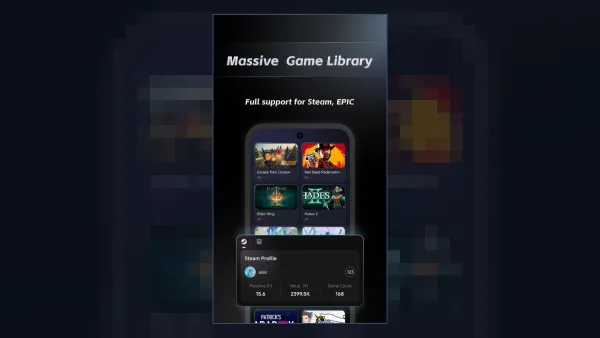
Choose the official website APK if you want to play local (non-Steam) games or if GameHub is not on Google Play in your country. Choose Google Play if you only play Steam games and want automatic updates.
| Source | Best for | Games supported |
|---|---|---|
| Official GameHub website (APK) | Full features, all countries | Steam, Epic, GOG, EA + local games |
| Google Play | Automatic updates | Steam games only |
| GameHub Lite (GitHub, unofficial) | Privacy, no login | See the Lite guide |
How to Install GameHub APK on Android
Installing the APK takes about two minutes. You only need to allow your browser or file manager to install unknown apps once.
- Download the APK Tap the download button above and save the official GameHub APK file.
- Allow unknown sources Open Settings › Apps › Special access › Install unknown apps, and allow your browser or file manager.
- Install the app Open the downloaded file from your notifications or Downloads folder and tap Install.
- Launch GameHub Open GameHub, accept the permissions you are comfortable with, then link Steam from your Profile.
Next, follow our guide on how to download games on GameHub.
How to Check the APK Is Genuine
A genuine GameHub APK always has the package name com.xiaoji.egggame and is signed by the same developer as the Google Play app. If anything looks different, delete the file.
- File size should be close to the official size (about 95 MB for 6.3.1).
- Upload unknown files to a malware scanner before installing.
- Avoid sites that promise “premium unlocked” or “mod” versions – GameHub is already free.
Read the full safety checklist in Is GameHub safe?. Need an older build instead? See GameHub old versions.
Frequently Asked Questions
Where can I download GameHub APK safely?
Download it from the official GameHub website or from Google Play. Avoid third-party “mod APK” sites.
How big is the GameHub APK?
Version 6.3.1 is about 95 MB. Games are downloaded separately and can take 30–100 GB each.
Why do I get “App not installed”?
Usually because another GameHub build (Lite, AnTuTu or an older version) with a different signature is installed. Uninstall it and try again. See our fix guide.
Does GameHub work on Android 9?
No. The current GameHub APK requires Android 10 or newer.