GameHub vs GameNative vs Winlator: Best GameHub Alternatives (2026)
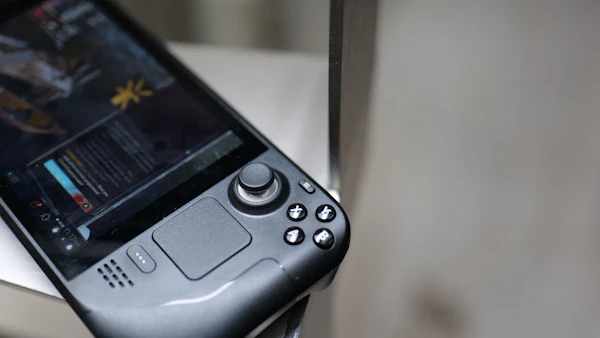
The best GameHub alternative for most people is GameNative, an open-source app with Steam, Epic, GOG and Amazon integration and cloud saves, while Winlator is the pick if you want full manual control. GameHub itself is still the easiest of the three to set up, thanks to its bundled GPU drivers. Below we compare all three ways to play Windows games on Android, so you can choose the right app for your phone and your patience level.
Key takeaways
- GameHub is free and closed source, made by GameSir, needs Android 10+ and has the easiest setup with bundled drivers.
- GameNative is open source (GPL-3.0), integrates Steam, Epic, GOG and Amazon, uses auto per-game configs, supports cloud saves and runs on Android 8+.
- Winlator is open source (LGPL-2.1), uses manual containers and Box64 presets, can run non-game Windows apps and runs on Android 8+.
- In our sources, published benchmark numbers (DROIX) exist only for GameHub; Winlator usually needs more manual tuning.
Table of contents
Quick Comparison: GameHub vs GameNative vs Winlator
GameHub is the easiest, GameNative is the best open-source option with store integration, and Winlator gives the most control. All three run Windows PC games on Android, but they suit different users.
| Feature | GameHub | GameNative | Winlator |
|---|---|---|---|
| License | Closed source (GameSir) | Open source, GPL-3.0 | Open source, LGPL-2.1 |
| Price | Free | Free | Free |
| Minimum Android | Android 10 | Android 8 | Android 8 |
| Store integration | Steam, Epic, GOG, EA | Steam, Epic, GOG, Amazon | No built-in store login; you install games yourself |
| Cloud saves | Yes (Steam cloud saves) | Yes | Not built in |
| Ease of use | Easiest | Easy to medium | Hardest – manual setup |
| Game setup | Compatibility rating and launch guidance | Auto per-game configs | Manual containers and Box64 presets |
| Drivers | Bundled GPU drivers (e.g. Turnip for Adreno) | Chosen per game, helped by auto configs | You pick and tune them per container |
| Non-game Windows apps | Games focus | Games focus | Yes |
| Best for | Beginners | Open-source fans with store libraries | Tinkerers |
The license matters for trust. Open-source code can be read and checked by anyone, while GameHub's code is closed. If you are searching for apps like GameHub because of privacy, this is the first row to look at in any GameHub vs GameNative comparison.
Performance: What the Benchmarks Show
Only GameHub has published benchmark numbers in the sources we rely on, from DROIX testing on a Snapdragon 8 Elite at 720p with GameHub 5.3.5. We do not have like-for-like numbers for GameNative or Winlator, so we do not claim that one app is faster.
| Game (GameHub, Snapdragon 8 Elite, 720p) | Settings | Reported FPS |
|---|---|---|
| Cyberpunk 2077 | Low + FSR 3 + frame generation | 60+ |
| The Witcher 3 | Medium | 55–60 |
| GTA V | Normal | 50–60 |
| Skyrim LE | Not stated | 60 |
| Need for Speed Payback | Measured on GameHub Lite | 55–60 |
On a Snapdragon 8 Gen 3 handheld (AYANEO Pocket S2 Pro), The Witcher 3 also reached 55–60 FPS with FSR 3 on GameHub. GameHub's built-in AMD FSR 3 upscaling and frame generation help a lot in heavy games like these.
Winlator can run many of the same kinds of games, but it usually needs more manual tuning of containers, Box64 presets and drivers before a game runs smoothly. In every app, your chip, GPU driver and settings matter more than the app's name. Our GameHub compatibility list shows which game types work best.
GameHub: Easiest Setup and Most Features
GameHub is the best choice if you want things to just work with the least setup. It is free, made by controller brand GameSir, and bundles GPU drivers so most users never touch a driver file.
GameHub combines Wine, a modified Box64, DXVK, VKD3D and bundled drivers such as Turnip for Adreno. On top of that, it adds features the other two apps do not focus on:
- Store support for Steam, Epic, GOG and EA (EA since 6.0.6, June 2026).
- Steam extras such as friends, achievements, chat, invites, Workshop and DLC management (6.0.6).
- Mod support for Steam titles and imported games, plus key and mouse mapping with cloud sharing (6.2.0, August 2026).
- An in-app community with setup guides and a smarter AI search (6.3.1, September 2026).
- Extras like cloud gaming, PC streaming, a retro games library and controller management.
The downsides are real, too. GameHub is closed source, Android Authority reported many trackers and broad permissions, and the Google Play version supports Steam games only. Read our full review of whether GameHub is safe before you decide. If you choose GameHub, get the latest GameHub APK from an official source such as Google Play.
What about GameHub Lite?
GameHub Lite is an unofficial, community-made version of GameHub. It removes tracking, 31 "invasive" permissions and the login requirement, and it adds external launcher support. It is not made by GameSir, so use it at your own risk. Learn more on our GameHub Lite APK page.
GameNative: Best Open-Source GameHub Alternative
GameNative is the closest open-source alternative to GameHub, because it also connects to your game stores and supports cloud saves. It is licensed under GPL-3.0 and runs on Android 8 or newer.
In the GameNative vs GameHub question, the biggest difference is trust and openness. GameNative's code is public, so anyone can check what it does. GameHub's code is closed, and it has faced privacy criticism.
GameNative's main strengths:
- Store integration with Steam, Epic, GOG and Amazon. Amazon is not in GameHub's list.
- Auto per-game configs, so you do not have to build settings from zero for each game.
- Cloud saves, so you can continue progress on another device.
- Android 8+ support, which helps if your phone cannot run GameHub's Android 10 minimum.
The trade-offs: EA is not among its listed stores, and GameHub-only extras such as cloud gaming, PC streaming and the retro library belong to GameHub. Check GameNative's official project page for its current feature list. Also remember that an older Android 8 or 9 phone usually has a weaker chip, so expect only light or older games on it.

Winlator: Most Control for Tinkerers
Winlator is the best GameHub alternative for users who like to tune every setting, and it is the only one of the three known for running non-game Windows apps too. It is open source under LGPL-2.1 and runs on Android 8 or newer.
Winlator works with containers. Each container is its own Windows setup, where you choose things like Box64 presets and graphics settings. This gives you a lot of control, but it also means more trial and error.
- Strengths: full manual control, Box64 presets, runs Windows desktop programs as well as games, open source.
- Weaknesses: no built-in store login, so you install games yourself from installers you own; more setup time; more tuning to get good performance.
Winlator suits players who enjoy testing settings. If you want to tap a game and play, GameHub or GameNative will feel much simpler.
Which GameHub Alternative Should You Choose?
Choose GameHub for the easiest setup, GameNative for open-source store integration, and Winlator for full manual control. Your Android version can also decide it: GameHub needs Android 10, while the other two run on Android 8.
| If you… | Choose |
|---|---|
| Are new to PC games on Android | GameHub |
| Want EA games and Steam Workshop tools | GameHub |
| Want open source with Steam and cloud saves | GameNative |
| Have games on Amazon | GameNative |
| Have a phone on Android 8 or 9 | GameNative or Winlator |
| Want to run Windows desktop apps | Winlator |
| Like GameHub but want less tracking | GameHub Lite (unofficial) |
Whatever you choose, buy your games legally on Steam, Epic Games, GOG, EA or Amazon. Avoid sites that bundle these apps with "free" cracked games.
Can You Use More Than One App?
Yes, you can install GameHub, GameNative and Winlator side by side, because they are separate apps. Just watch your storage, since AAA games need 30–100 GB each and each app usually keeps its own copy of the game files.
A simple plan is to test a game in one app, then try another only if it does not run well. Cloud saves in GameHub and GameNative help you keep progress when you switch. To understand the shared technology behind these apps, read our guide to the GameHub emulator, and use our GameHub download page to get the official app safely.
Bottom Line
There is no single best app for everyone. GameHub is the easiest and most feature-rich, but closed source and privacy-heavy. GameNative is the best GameHub alternative for most open-source fans, with Steam, Epic, GOG and Amazon support and cloud saves. Winlator is for tinkerers who want full control and can live with more manual tuning. Start with the one that matches your skill level and your phone's Android version.
Download GameHub APK 6.3.195 MB · Android 10+ · Official sources only
Download APKFrequently Asked Questions
What is the best GameHub alternative?
For most people, GameNative is the best GameHub alternative. It is open source (GPL-3.0), supports Steam, Epic, GOG and Amazon, has auto per-game configs and cloud saves, and runs on Android 8 or newer.
Is GameNative better than GameHub?
It depends on what you value. GameNative is open source and more transparent, while GameHub has the easiest setup, bundled drivers and extra features like EA support and Steam Workshop tools.
GameHub vs Winlator: which is faster?
We do not have like-for-like benchmark numbers for both apps in our sources. GameHub has published DROIX results, such as GTA V at 50–60 FPS on a Snapdragon 8 Elite, while Winlator usually needs more manual tuning to run games smoothly.
What are some apps like GameHub for older phones?
GameNative and Winlator both run on Android 8 or newer, while GameHub needs Android 10. Older phones usually have weaker chips, so expect only light or older games.
Are GameHub alternatives free?
Yes. GameHub is free, and GameNative and Winlator are free open-source apps. You still need to buy your games legally from stores like Steam, Epic Games or GOG.
Can Winlator run non-game Windows apps?
Yes. Winlator can also run non-game Windows programs, which sets it apart from GameHub and GameNative, both of which focus on games.